The more features there are, the more the app feels real

In Part 5, we successfully integrated the Gemini API, and ingredient recognition and recipe recommendations began to work. However, that alone made it a half-finished app. Even when receiving recipe recommendations, we couldn't know where to go to buy ingredients, how to view the recommended dish again later, or when the ingredients in the refrigerator would spoil. Half of the six features originally planned still remained.

Part 6 covers the process of completing K-Refrigerator into a real app. It covers the journey from creating a revenue structure through Coupang Partners integration, reducing ingredient waste through expiration date management, and adding shopping lists and recipe saving functions to completing all the features originally planned. The Gemini API integration process was covered in detail in Part 5.

The completion of k-Naeng-teol's core features consists of four main points

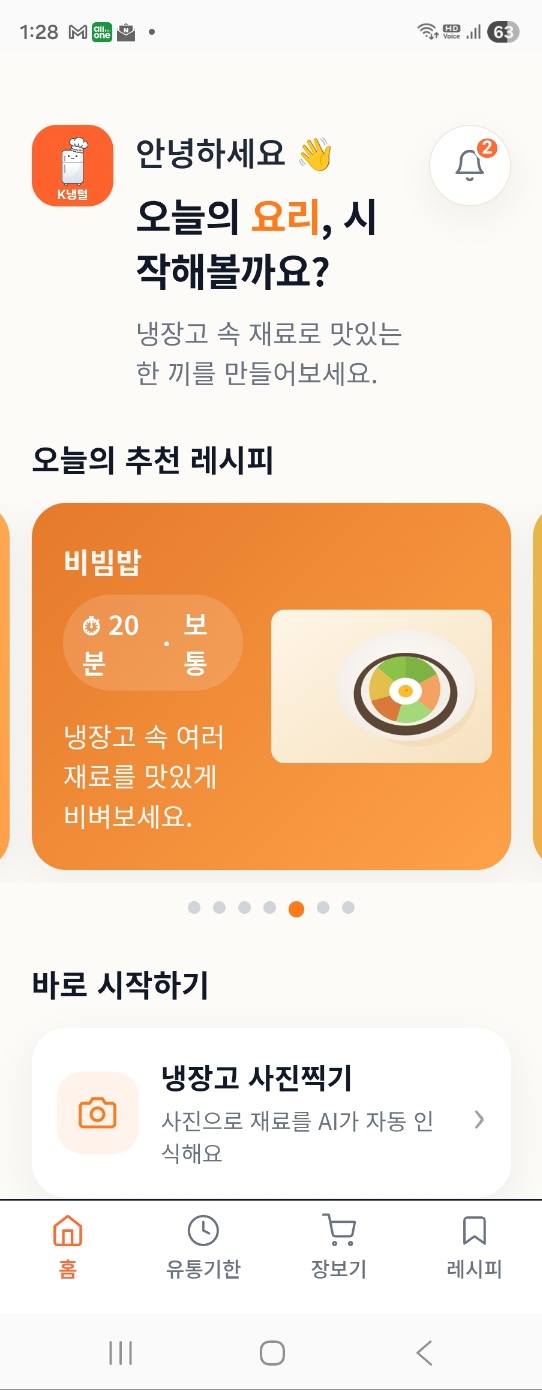
Following the ingredient recognition and recipe recommendations implemented up to Part 5, there are four major features to be added in this part. Each feature is not simply added, but plays a role in completing the overall flow of the app.

First — Coupang Partners Integration

This is a feature that allows users to immediately purchase missing ingredients when a recipe is recommended. From the user's perspective, it is convenient to buy necessary ingredients without leaving the app, and from the developer's perspective, it is a structure that generates revenue through Coupang Partners commissions. It was a feature that simultaneously resolved the app's practicality and monetization.

Second — Expiration Date Management

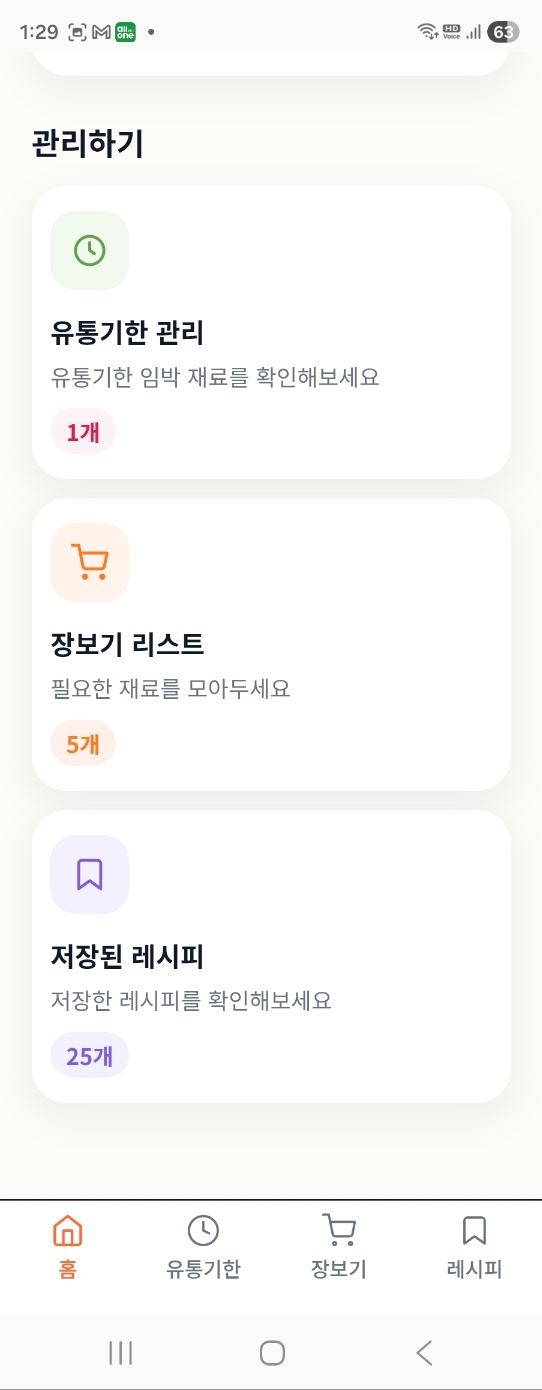
The starting point for creating k-Naeng-teol was to reduce the waste of ingredients in the refrigerator. This feature allows you to enter the expiration date along with the ingredients you register, displaying ingredients nearing expiration at the top and warning you with colors. It displays 3 days until expiration in yellow, 1 day in orange, and expired ingredients in red, making it easy to identify them at a glance.

Third — Shopping List

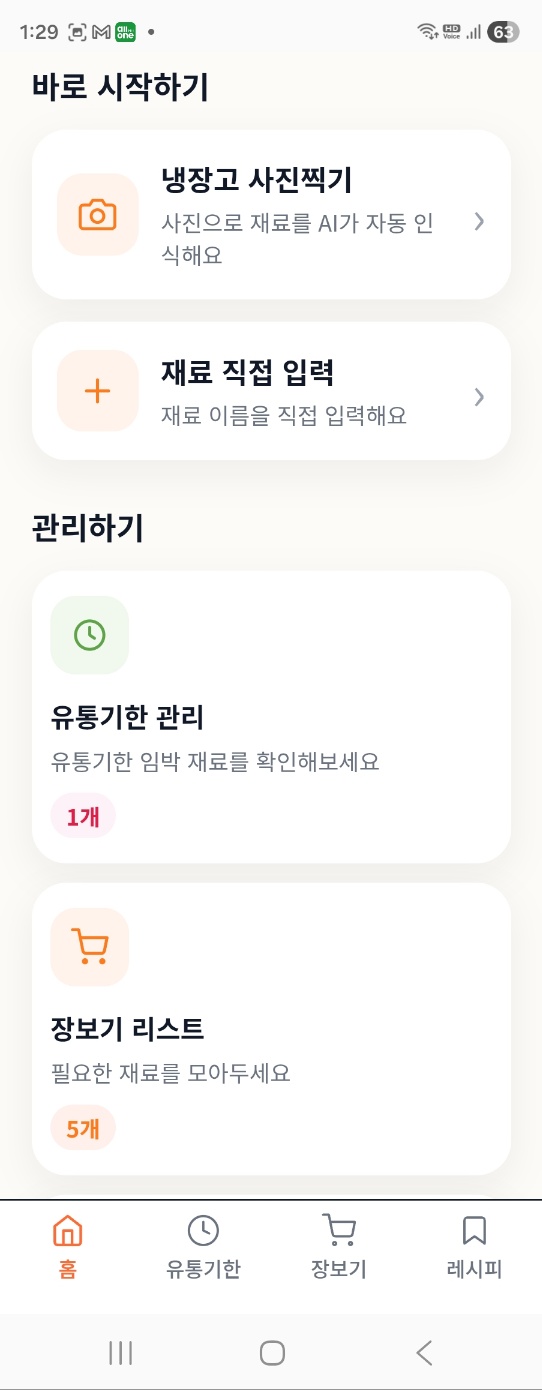
After receiving recipe recommendations, you will find ingredients you don't have at home. This feature allows you to add those ingredients to your shopping list with a single tap, and check them off once you purchase them at the supermarket. Connecting refrigerator ingredient management, recipe recommendations, and grocery shopping into a single flow was the direction K-Refrigerator Clearance aimed for.

Fourth — Recipe Saving

This feature allows you to save your favorite recipes recommended by the AI and retrieve them immediately later. You can simply save the dishes you make frequently without having to enter ingredients every time to receive recommendations. Saved recipes are displayed sorted by date.

k냉털 핵심 기능 4가지 완성 화면

The Coupang Partners integration process consists of three main steps

Integrating Coupang Partners was not technically difficult. However, since it was my first time doing it, it took longer than expected. I proceeded by dividing it into three steps.

First Step — Sign-up and Link Issuance

You can apply for Coupang Partners immediately if you have a Coupang account. I liked that I could sign up instantly without a review and get a link issued right away. I proceeded by issuing links to representative products for each ingredient to be used in the app in advance. I prepared links to best-selling products for frequently appearing ingredients such as chicken, tofu, eggs, and carrots.

Second Step — Connecting a Purchase Button to the Recipe Screen

I asked Claude to "add a Coupang purchase link button next to each ingredient when displaying the ingredient list on the recipe results screen." Instead of simply attaching links, we implemented a system that compares the ingredient list entered by the user with the ingredients required for the recipe, displaying purchase buttons only for ingredients the user does not have at home. This was because attaching links to every ingredient could make it look like an advertisement.

Third Step — The Revenue Generation Structure

With Coupang Partners, a commission is generated if a purchase is made within 24 hours of clicking a link. Commission rates vary by product category, but for the food category, it is typically around 2–3%. We expected the conversion rate to be higher than other platforms because the flow of app users viewing recipes and purchasing ingredients is naturally connected. However, actual revenue could only be verified after the app was launched.

Implementing Expiration Date, Shopping, and Save Functions

The code became complex as we attempted to implement three functions at once. Instead of asking Claude to build everything at once, I proceeded by requesting features one by one in sequence.

Display Expiration Date D-Day

This is a feature that automatically calculates the D-day by comparing it to today's date when an expiration date is entered while registering ingredients. I requested that Claude "add an expiration date input field to the ingredient list and display D-3 or less in yellow, D-1 or less in orange, and expired ones in red when comparing them to today's date." Although the code itself was simple, it took time to fix because a time zone error occurred in the date calculation logic. It only worked properly after explicitly setting the Korean time zone (UTC+9).

Automatic Shopping List Generation

This is a feature that adds an ingredient to the shopping list when tapped on the recipe screen. Ingredients added to the list can be viewed in a separate shopping tab, and purchased ingredients can be checked off to remove them. I explained this flow to Claude and requested the code, and he implemented it using a simple structure utilizing local storage. It was important that the list was maintained even after turning the app off and on again.

Saving and Loading Recipes

Implementing the feature to save AI-recommended recipes was more tricky than expected. Since recipes are in the form of text generated by the AI every time, parsing work was required to save them as structured data. I asked Claude to "create code that separates the dish name, ingredient list, and cooking order from the AI response and saves them in JSON format." After several revisions, saving and loading started working stably.

k냉털 유통기한 장보기 레시피저장 기능 화면

The Day All Features Were Completed

The day we confirmed that the final features—expiration date management, shopping lists, recipe saving, and Coupang Partners integration—were working was the day all six features originally planned were completed. I remember the moment I checked off the last item on the list of features I had written in my notes, one by one.

However, this process was not without its difficulties. As the number of features increased, the code became more complex, and Claude's usage limit repeatedly reached the critical moment. If the limit was reached just as I finished one feature and was about to move on to the next, I had to wait a few hours before starting over. Each time I restarted, the process of explaining the previous code structure and context to Claude from scratch was repeated. This waiting time was a significant part of why the development period was extended to three months. The list of 6 features determined during the planning stage can be found in Part 3.

k냉털 모든 기능 완성 화면

The features are complete; now we need to turn it into an app

The core features of k-Cold Food Bare were broadly four: Coupang Partners integration, expiration date management, shopping lists, and recipe saving. With the completion of these four, all the features initially planned were implemented in the form of a web app.

However, web apps only run in a browser. To upload it to the Google Play Store, an Android app format was required. The method chosen at the time was TWA (Trusted Web Activity). Since this method essentially packages the web app as an app, it had the advantage of allowing for the rapid creation of an app without additional development. However, this choice led to an unexpected problem. In the next episode, I plan to honestly share the process of creating an app with TWA, submitting it to Google Play, and getting it rejected.