A single question that started in front of the refrigerator
I opened the refrigerator door. Half a block of tofu, three eggs, a handful of wilting green onions, and a carrot I don't know when I bought. I pondered what I could make with these, and eventually, I opened a delivery app. And a few days later, the ingredients in the refrigerator ended up in the trash can. This cycle repeated itself.

'It would be great if there were an app that recommended dishes if you took a picture of the ingredients in the refrigerator.' That thought was the beginning of K-Refrigerator Raid. However, I am not a developer. I have never learned coding. Nevertheless, I created an app with AI and even completed the Google Play Store production application. It would be too much to include everything, but I am summarizing and documenting those three months in this series.
What kind of app is K-Refrigerator Raid?
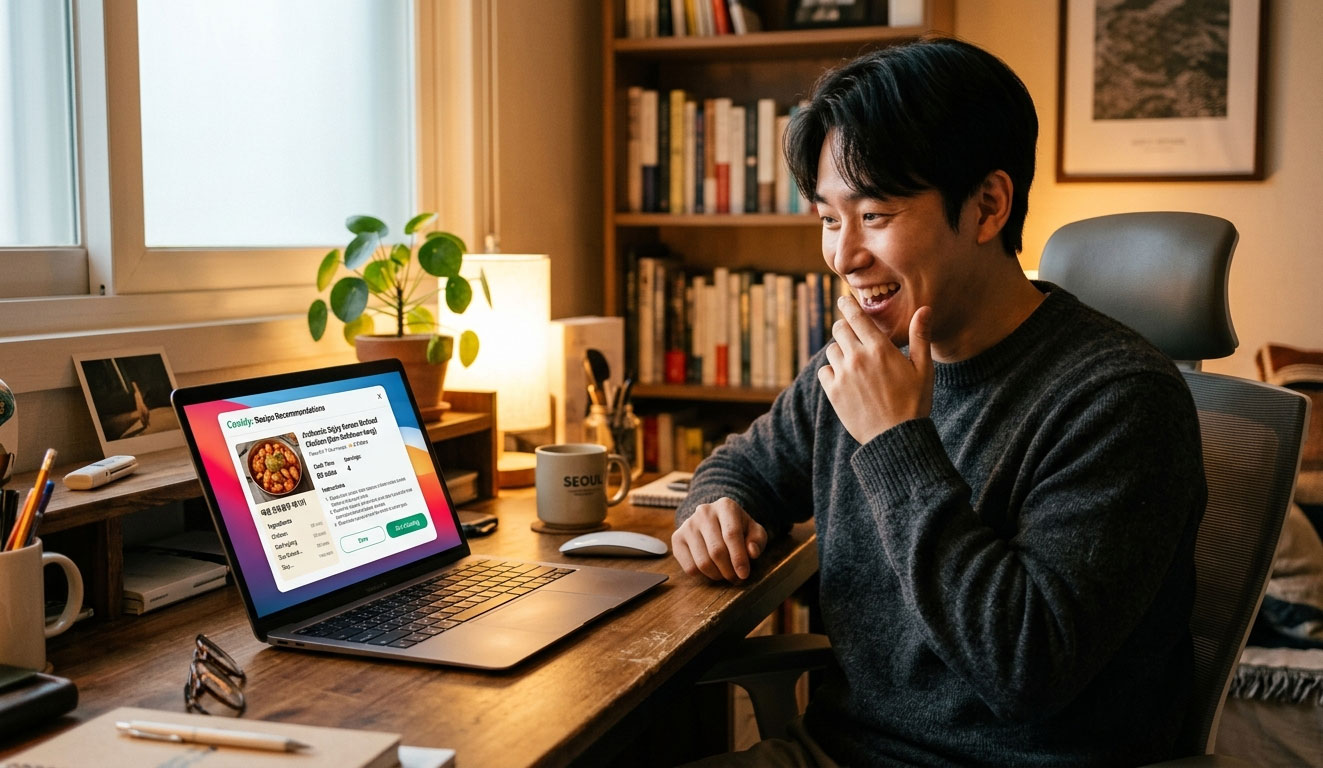
K-Refrigerator Raid — Raid the refrigerator. True to its name, it is an app that takes ingredients from the refrigerator and turns them into dishes. When you take a picture of an ingredient with the camera, the AI automatically recognizes it and recommends dishes that can be made with it. The calories for the recommended dishes are automatically calculated, and recipes can be saved. There is also a button to purchase ingredients directly from Coupang if you are running low, as well as an expiration date management feature.
We aimed to create an app that connects everything from refrigerator management to cooking recommendations and grocery shopping, rather than just a simple recipe app. Furthermore, this app was built by someone who knows absolutely nothing about coding, through conversation with the AI.

Why We Made This App — 3 Reasons
First Reason — Refrigerator Ingredients We Were Always Thrown Away
Ingredients bought from the supermarket would sit dormant in the refrigerator until their expiration dates passed, leading to repeated waste. I could just cook with the ingredients I had, but when I actually opened the refrigerator, I couldn't think of what I could make. I wanted to solve this problem.
Second reason — I wanted to experience the entire app development process firsthand.
I am currently developing a QR code generator and a game app as well. To properly proceed with these projects, I needed to personally experience the entire process from app development to Google Play registration. The goal was to learn through experience how much it costs, how long it takes, and what preparations are required.
Third reason — I wanted to test the potential for monetization.
I wanted to actually implement a structure where the app itself is provided for free, but revenue is generated through Google AdMob ads and Coupang Partners links. I needed experience with monetization on a different platform—an app—similar to blog AdSense.
Contents covered in this series.
The K-Cold Food Development Log consists of a total of 11 episodes. It captures the three-month process from planning to production application in chronological order. It is a realistic record of someone with absolutely no development experience creating an app alongside AI. It is not a glamorous success story, but the process itself—blocking, waiting, and trying again.
Overall Series Structure
Part 1 (This Article) — Preview: Make an App with AI Even Without Knowing Coding
Part 2 — The Background of K-Refrigerator Raid: I Wanted to Raid the Refrigerator
Part 3 — What Features Should We Add? From Planning to Design
Part 4 — Starting with a Web App with Claude
Part 5 — Creating Automatic Ingredient Recognition from a Single Photo
Part 6 — Adding Coupang Integration + Expiration Date Management
Part 7 — Google Rejected the App After Packaging It with TWA
Part 8 — Giving Up on TWA and Switching to a Hybrid App
Part 9 — The Trap of the 14-Day Google Play Private Test
Part 10 — The Reality of AI App Operations — How Much Does the API Cost?
Part 11 — Applying for Production! 3-Month Journey + Total Disclosure of Actual Costs

Realistic Information Revealed in Advance
I am revealing a little bit of what readers of this series will be most curious about in advance.
Development Period
It took a total of 3 months. It was much longer than expected. Due to Claude usage limits, we repeatedly had to wait for hours, sometimes even a day, before continuing. We were blocked by AI usage limits more often than by a lack of coding knowledge.
Development Costs
Claude subscription fees, Google developer registration fees, testing costs, trademark application fees, and API usage fees—there were more diverse costs than I expected. I will reveal the exact amounts in Part 12.
AI Tools Used
I mainly used Claude, and utilized Gemini and ChatGPT from time to time. The final design changes were done using ChatGPT. If you are curious about how to effectively utilize AI tools, referring to Truly Free! A Comprehensive Guide to AI Tools You Can Use Right Now will be helpful.
Trademark Registration
k-Naengteol has completed the trademark application process. Apart from creating the app, I personally experienced the process of protecting the brand. I filed directly online, and the costs and process will be covered in detail in the series.

Who This Series Will Help You
This series will be helpful to those who know absolutely nothing about coding but want to try making an app, those who have no experience actually creating something with AI, those curious about the Google Play registration process, and those who want to know how much it actually costs to develop an app. This is not a professional development tutorial, but a realistic record of a person with zero development experience grappling with AI. If you are curious about the experience of creating a blog yourself using AI, I recommend reading No Coding Needed! How to Create a Blog with AI and Upload It to Dothome for Free as well.
Conclusion — The Real Start Begins in the Next Episode
A small idea that started in front of the refrigerator led to an application for Google Play Store Production three months later. Even without knowing coding or having any AI development experience, I was able to create it by conversing with Claude. Of course, it wasn't easy. It was a continuous process of getting stuck, waiting, and trying again.
I will capture that process exactly as it happened.
In Part 2, I will discuss the more specific background behind the creation of K-Cold Food and how I materialized the initial idea.You can make an app even if you don't know coding. Because I've tried it myself.